CALCY
Work out the area you need. Check the drop. Show the working. An electrical calculator built to outlast its own trends, its own app store, and probably its own website. Ohm's law hasn't changed since 1827 — and neither has the arithmetic.
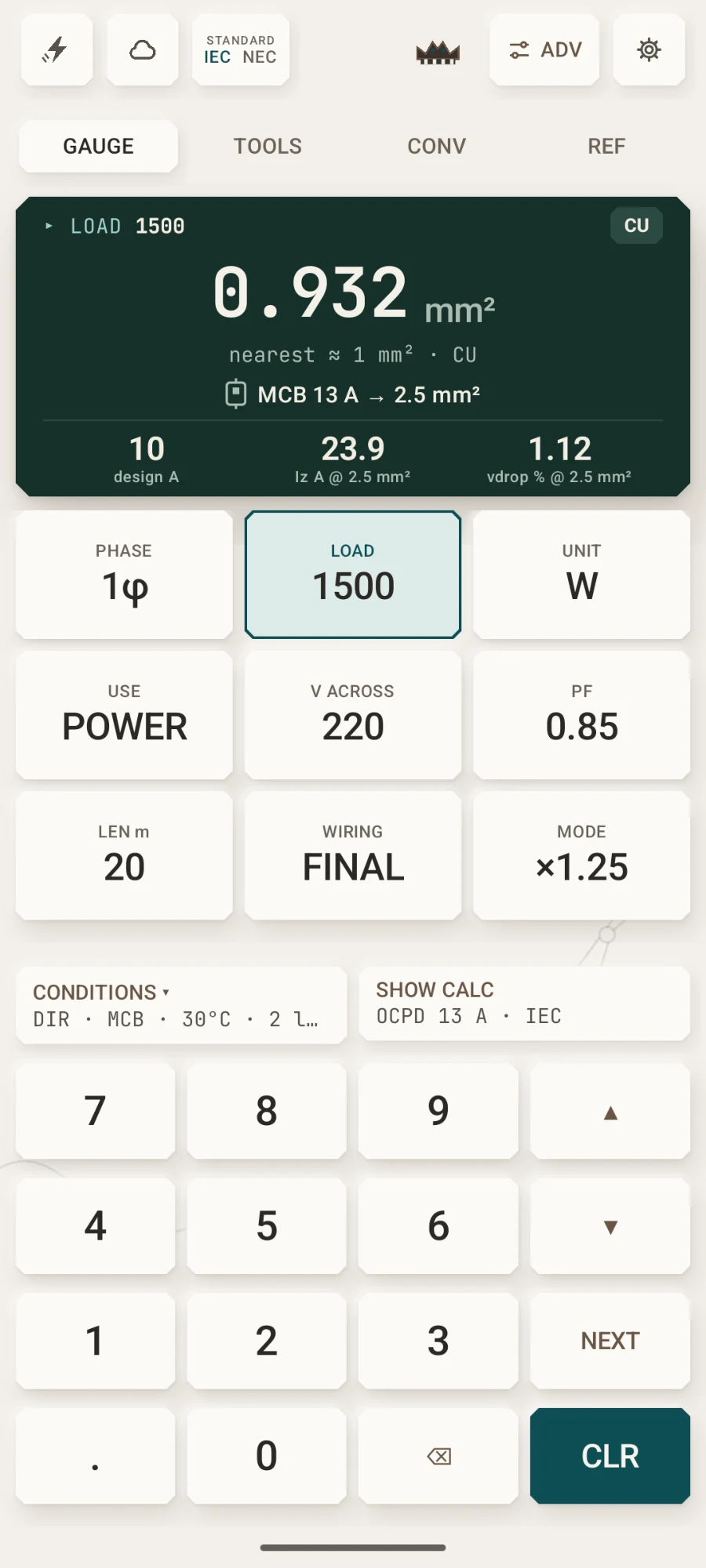

↑ the Gauge tab, exactly as it ships
02 / 07 — Teardown
One screen. Four layers.
Calcy's Gauge tab, taken apart. Every layer is the real app.
Readout
The calculated area, the nearest size, and what the protective device makes of it: 0.932 mm² → nearest ≈ 1 mm² → MCB 13 A → 2.5 mm², with design current, Iz and volt drop underneath.
Inputs
Phase, load, unit, use, voltage, power factor, run length, wiring and design mode. Tap a field and the keypad writes into it.
Conditions
Installation method, protective device and its rating, volt-drop limit, ambient, insulation, grouping and your own grouping factor, inrush and voltage basis. The IEC · NEC switch sits in the top bar. SHOW CALC opens the full worked derivation with every check.
Keypad
Digits, ▲▼ to step a value, NEXT to move between fields, ⌫ and CLR. Built for one thumb on site.
03 / 07 — Controls
Built for one thumb on site.
Tap a field and the keypad writes into it. The arrows nudge the value, NEXT walks the form, CLR clears the field. Nothing hides in a menu.
| Action | Control |
|---|---|
| Enter a value | Tap a field, then 0–9 . |
| Step a value up or down | ▲ ▼, or swipe ↕ on a Tools / Convert / Advanced field |
| Next field | NEXT |
| Delete a digit | ⌫ |
| Clear a field | CLR |
| Reset everything | hold CLR |
| Switch standard | IEC · NEC |
| See the working | SHOW CALC |
| Advanced suite | ADV, drag down to close |
| Switch tool | GAUGE TOOLS CONV REF |
04 / 07 — The family
One keypad. Four cartridges.
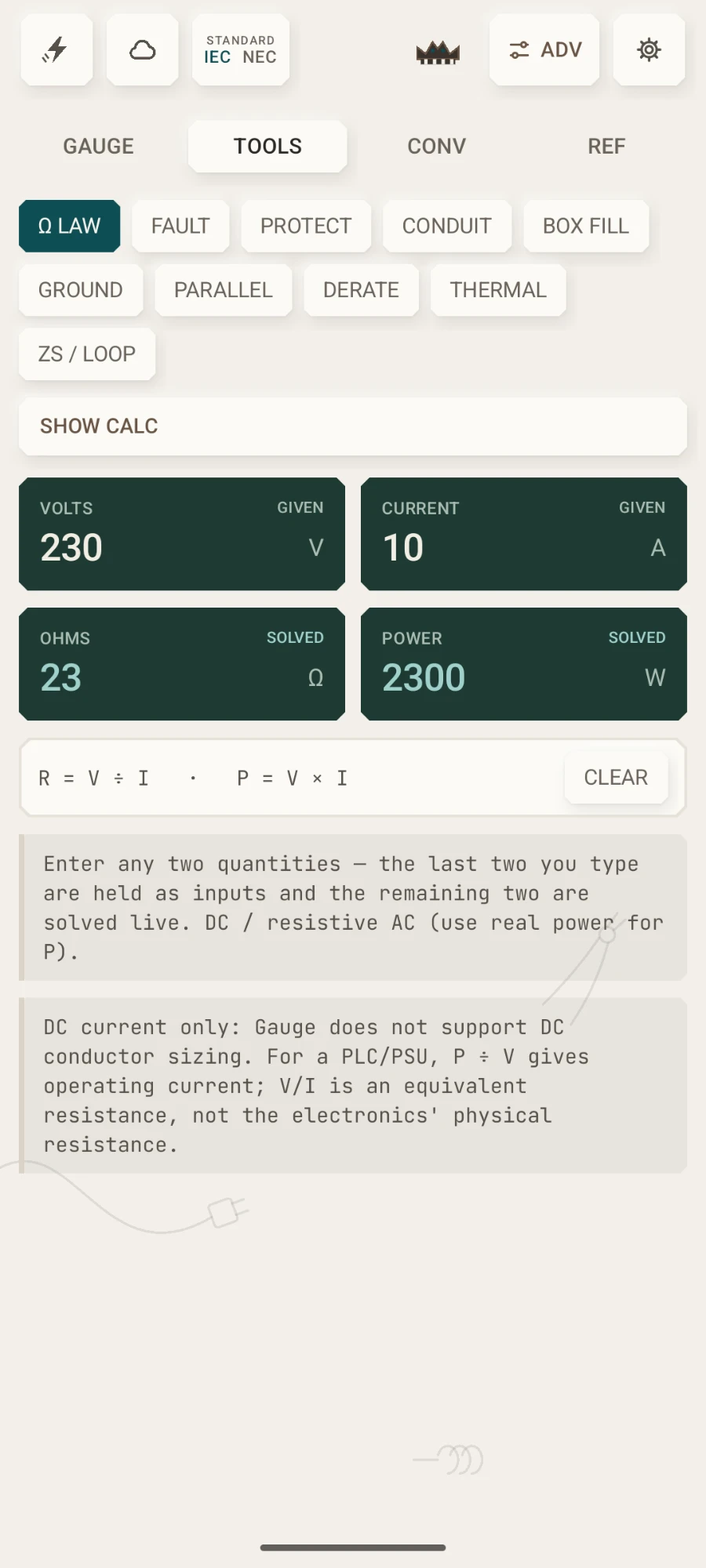
Calcy Electric is first out, this Christmas. Finance, Lux and DC follow the same rules: offline, no accounts, nothing leaves the device. Pick one to load it.
05 / 07 — The working
Every result opens its working.
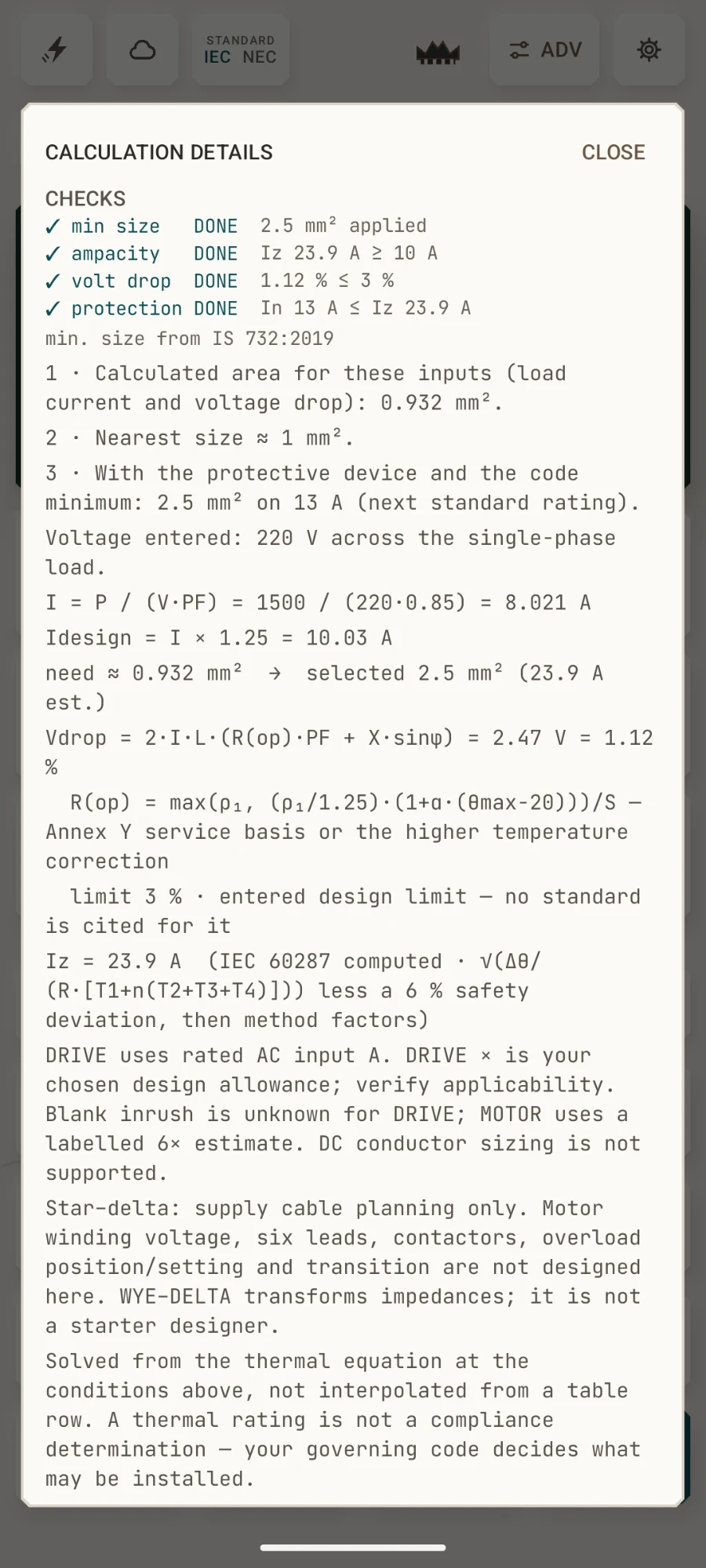
In Calcy Electric, SHOW CALC prints the formula, the numbers you entered, the checks that decide the answer, and the limits of what it covers. Nothing is hidden behind a black box.
OfflineNo accountsNothing leaves the deviceMethods named, limits stated
Methods: IEC 60287-1-1 and 60287-2-1 for conductor resistance and the rating equation · IS 732:2019 Annex Y for operating resistivity · Churchill–Chu and Stefan–Boltzmann for surface heat transfer · Dwight's formula for earth-rod resistance. The app names its methods; it does not claim a result complies with any standard.
Specifications
- Platform
- Android 12 or newer
- Tested on
- Google Pixel 6
- Download size
- About 8 MB · under 10 MB (varies by device)
- Verification
- App signing certificate SHA-256 fingerprint · published at launch
- Permissions
- None that access your data
- Network access
- None
- Accounts
- None
- License
- App: paid, closed source · math on GitHub: source-available, read and verify
- Price
- €4 once · no subscription, nothing recurring · on Google Play from Christmas 2026
- Support
- Optional · BTC · ETH · XMR · opens at launch
- Version
- 7.2.1
Download
Download Calcy
Calcy Electric lands on Google Play this Christmas. €4 once — no subscription, nothing recurring, no ads, no accounts. You buy it, you own it, and updates do not cost you again. The signing certificate fingerprint goes up the day it ships, so you will be able to confirm the app on your phone is the one we signed. The calculation core is already on GitHub as plain Kotlin — every formula written out with a worked example — if you would rather check the maths than trust it. And if you fancy it, from this Christmas you can .
◇ GitHub holds only Calcy's calculation core — seven Kotlin files covering units, power, volt drop, cable heating, protection, sizing and conduit bends. Not the app, just the math, and the app's own test suite is compiled against those files: if the app's working changes and the repository does not, the build fails. Source-available under its own licence — read it, run it, quote it; it is not yours to ship.